Use cases
A One-Person Design Studio's Week, with an AI Team
Follow Mia, who runs a design studio on her own, through one week: a late-night LINE inquiry, a quote, meeting to-dos, a morning brief, month-end books, and whether to raise her prices.
The video has English narration, with English, Traditional Chinese and Japanese subtitles on YouTube. It is a demo scenario: the studio, customers and figures are sample data.
Running a studio alone: the work around the design takes the time
Mia runs her design studio by herself. What eats her time is often not the design but everything around it: answering price questions at night, writing quotes, following up on what a meeting decided, reconciling the bank statement, and deciding whether prices that haven't moved in three years should go up.
The video splits her week into six moments. Each follows the same beat: the problem, who takes it, and what comes back.
01 The inquiry: the reply is drafted, and it goes out when you approve
At 11 pm a customer asks on LINE, "How much is a website?" Once your LINE Official Account is connected, the customer-service inbox drafts a reply from your price list. You read it, edit it if you like, and click "Approve and send". Nothing is sent without your approval.
To set it up, see Connect your LINE Official Account.
02 The quote: Rex makes the PDF from your own price list
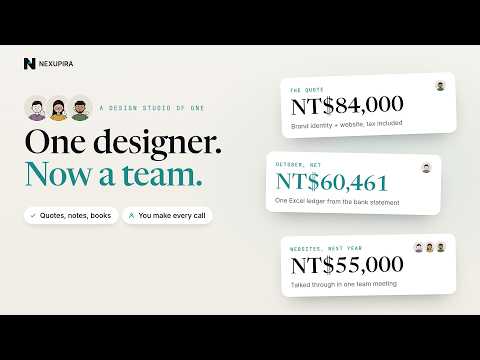
The next day the same customer wants a brand identity and a five-page website too. Give the brief to Rex and it makes a PDF quote from the price list in your company profile (NT$84,000 including tax in the video). It also lists what to check before you send it, such as the website price being a starting price, and any notes it added itself.
Not sure what a quote should include? Start with How to write a quote.
03 The kickoff: Nova turns notes into to-dos and puts the big dates on your calendar
After the meeting you have a page of notes. Hand them to Nova and it makes a Word to-do list where every task has an owner and a date. A task nobody owns yet is flagged TBC, not forgotten. The two big dates go on your Google Calendar.
Google Calendar needs Google connected first under Connections; see Connect your services.
04 Every morning: an automation set up in one chat
Ask Nova for a morning brief and it drafts an automation: at 8:00, read today's calendar, write the brief and send you an in-app notification. It starts only after you check the steps and click "Create".
For more, see Automations.
05 Month end: Docu turns the bank statement into a ledger
At month end the bank statement is just a list of numbers. Send the CSV to Docu with @docu and it puts every line in a category with subtotals, works out the month's net income (NT$60,461 in the video), checks the closing balance against the statement, and hands you an Excel ledger.
To build one yourself, see Keep a monthly income and expense sheet.
06 Next year's prices: one meeting with three roles
Prices unchanged for three years, and the developer now charges more: should they go up? In a meeting room, Mia brings in Docu, Nova and Rex, shares her quote history and lets them talk it through. When she ends the meeting, the minutes record the decisions and to-dos: websites go to NT$55,000 on new quotes, and the brand identity price waits for her hourly cost.
To open and end a meeting, see Meeting rooms.
You still make every call
Through the week the AI team drafts, sorts and calculates, and Mia decides: customer replies go out only after she approves them, the automation starts only when she clicks "Create", and a figure with nothing behind it is not written down as a decision.
To see what Docu, Nova and Rex are each good at, start with the Quick start.