Getting started
Quick start in 3 minutes
Three short videos, each under 40 seconds, on what Docu, Nova and Rex can do for you.
Not sure where to begin? Each of these short videos shows one AI teammate doing one first task. Then open your chat home and click the same example to try it yourself.
All data in the videos is sample data. Subtitles are available in English, Traditional Chinese and Japanese.
Docu: turn income and expenses into an Excel ledger

Docu sorts the sample statement by category, adds a subtotal for each one, ends with total income, total expenses and the balance, and hands back an Excel file.
Nova: turn meeting notes into a to-do list
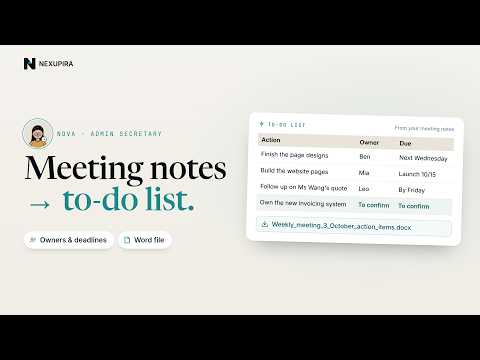
Nova reads the sample meeting notes, gives every task an owner and a deadline, marks anything nobody has taken on as "To confirm", and hands back a Word file.
Rex: LINE replies drafted for you, sent when you approve

Once your LINE Official Account is connected, each customer message gets a reply drafted from your price list, and nothing is sent until you approve it. For the setup, see Connect your LINE Official Account.
Where to find these examples
"Try this first" on your chat home shows the examples of your default teammate. To try another teammate's examples, open Settings → Character, pick that teammate and click "Make default".